Roundup
The best apps for learning a musical instrument
Eleven apps that teach you to play, checked against their current listings rather than their 2023 ones.
Instrument apps listen to you play and tell you whether you got it right. That feedback loop is genuinely useful, and it is the reason this category has grown from a novelty into the default way most adults now start an instrument.
How we assessed these
Entry criterion. An app is on this list if it gives you feedback on notes you played on a real instrument. Apps where the playing happens entirely on a touchscreen are a different category and are covered in the field guide.
Ranking criteria, in this order:
- Instrument feedback — how it hears you, and how good the correction is.
- Instrument coverage — one instrument or several.
- Beginner accessibility — how far it takes someone starting from nothing.
- Price and value — most of these are subscriptions.
- Maintenance — last release date, shown on every card.
Two different things get mixed together in most roundups, so we have kept them apart:
Facts — publisher, platform, price model, rating, last update. Checked directly against the App Store on 2 September 2026.
Judgement — who an app suits and where it falls short. That is editorial opinion, and yours may differ. We have not used all ten at length; where a claim comes from a developer's description rather than our own use, the text says so.
We also have a stake here: Tomus is our app. It is not in this list, because Tomus does not teach you to play an instrument. It is in the sight-reading and ear training lists, where it belongs.
The short version

Yousician
4.6Free + subscription
- Best for
- Guitar, bass, ukulele, piano and voice in one subscription
- Watch out for
- Subscription is the whole product

Simply Piano
4.7Free
- Best for
- Structured piano from zero
- Watch out for
- Piano only

flowkey
4.7Free
- Best for
- Learning real repertoire rather than exercises
- Watch out for
- Less structured theory

Skoove
4.6Free
- Best for
- Piano with more explanation than most
- Watch out for
- Smaller song library

GuitarTuna
4.8Free
- Best for
- Tuning, and it is free and excellent at it
- Watch out for
- Barely a teaching app

Musora
4.7Free
- Best for
- Drums, and now guitar, piano and singing
- Watch out for
- Priced as a full platform

Playground
4.8Free
- Best for
- Children and complete beginners at the piano
- Watch out for
- Outgrown fairly quickly

tonestro
4.4Free
- Best for
- Wind and brass, which almost nothing else covers
- Watch out for
- Narrow by design

Trala
4.7Free
- Best for
- Violin, with real teacher feedback available
- Watch out for
- Violin only

Guitar Pro
3.6$6.99
- Best for
- Reading and writing tab, not learning from scratch
- Watch out for
- Not a tutor at all

Duolingo
4.7Free
- Best for
- A daily habit, if you buy its piano
- Watch out for
- Real-instrument play needs Duolingo's own $249 keyboard
1. Yousician
Yousician: Learn & Play Guitar
by Yousician Ltd
4.6 from 139,304 ratingsFree + subscriptionActively updated
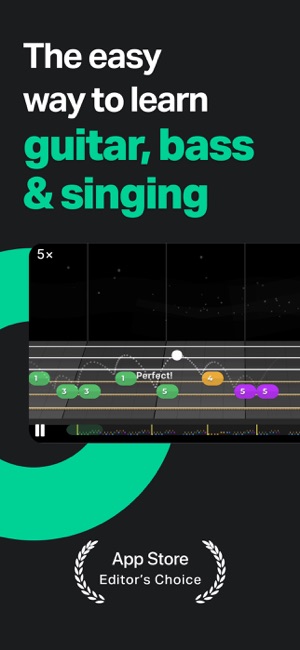
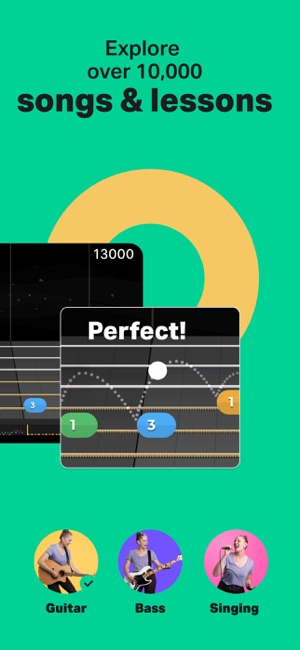
Instruments: guitar, bass, ukulele, singing. Piano via a separate app. Price: free to download, subscription for full access.
The broadest of the mainstream tutors and the one most people try first. Listens through the microphone, scores you in real time, and structures everything as levels with weekly challenges.
Good for: guitarists starting from zero who want a clear next step every session. Less good for: anyone who wants to understand what they are playing. The gamification carries you a long way and then leaves you somewhere without much theory.
2. Simply Piano
Simply Piano: Learn Piano Fast
by Simply Ltd
4.7 from 846,886 ratingsFreeActively updated
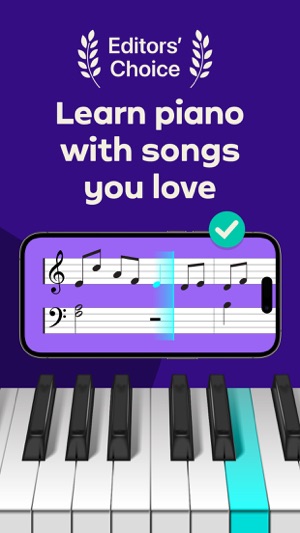
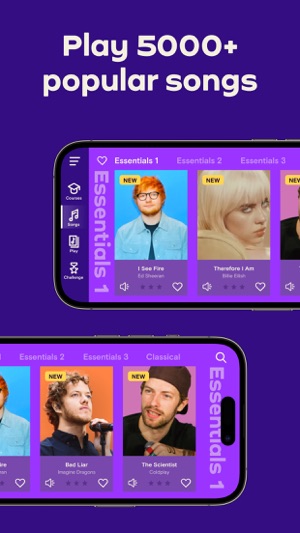
Instruments: piano and keyboard. Price: free to download, subscription for full access.
Published by Simply Ltd, formerly JoyTunes. The lesson design is the most polished in the category: it works with an acoustic piano through the microphone as well as with a MIDI keyboard.
Good for: complete beginners on piano, and parents setting up a child. Less good for: intermediate players, who tend to outgrow it faster than the subscription term.
3. flowkey
flowkey – Learn to Play Piano
by flowkey GmbH
4.7 from 65,014 ratingsFreeActively updated
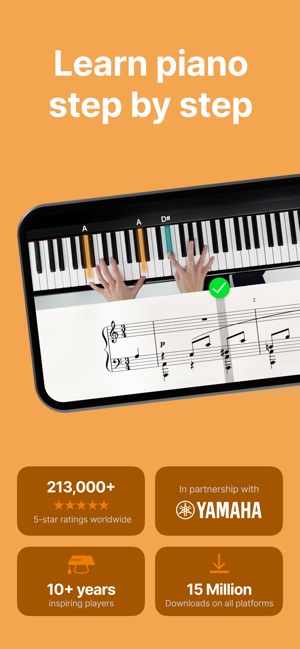
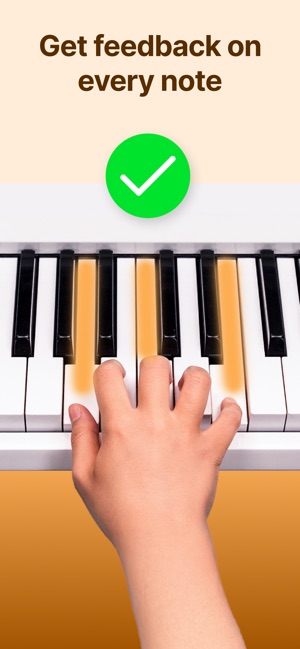
Instruments: piano. Price: free tier, subscription for the full library.
Split-screen video of a real pianist's hands alongside the notation, with wait mode that holds until you play the right note. Less gamified than Simply Piano and more musical for it.
Good for: adults who want to play actual repertoire rather than climb a ladder. Less good for: anyone needing structured beginner technique — flowkey assumes you can already sit at the instrument.
4. Skoove
Skoove: Learn to Play Piano
by Learnfield GmbH
4.6 from 22,020 ratingsFreeActively updated
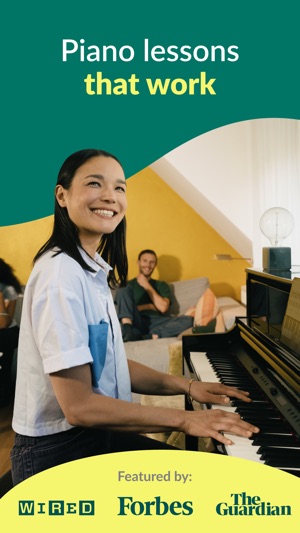
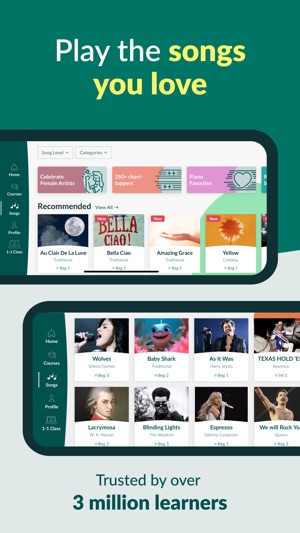
Instruments: piano. Price: free lessons, subscription for the rest.
Now published by Learnfield GmbH, which also publishes Trala. Distinguishes itself by weaving theory into the lessons rather than treating it as separate.
Good for: players who want to understand the harmony under what they are playing. Less good for: the same limitation as the rest — it does not fix technique.
5. GuitarTuna
GuitarTuna: Tune & Play Guitar
by Yousician Ltd
4.8 from 146,830 ratingsFreeActively updated

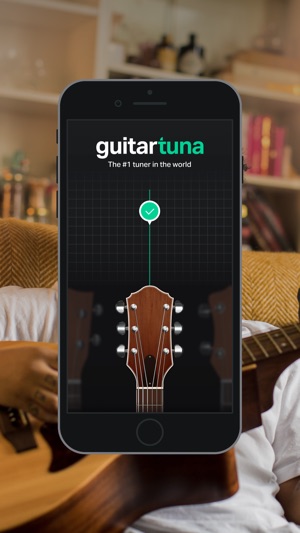
Instruments: guitar, bass, ukulele, and a long list of others. Price: free, with a paid tier.
Made by Yousician. Nominally a tuner, in practice the utility belt most guitarists keep installed: tuner, metronome, chord library, chord trainer.
Good for: everyone with a stringed instrument. The free tier alone justifies the install. Less good for: learning to play — it is a toolkit, not a course.
6. Musora (formerly Drumeo)
Musora: The Music Lessons App
by Musora Media Inc.
4.7 from 2,929 ratingsFreeActively updated
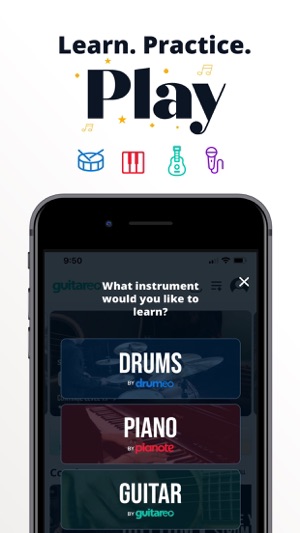
Instruments: drums, piano, guitar, voice. Price: free to download, subscription for the lesson library.
Musora merged Drumeo, Pianote, Guitareo and Singeo into one app. Video lessons from working professionals, structured courses, play-alongs and a large back catalogue.
Good for: drummers especially — Drumeo's material remains the strongest drum library available by subscription. Less good for: casual use. It is expensive relative to the app-first tutors and assumes you will show up regularly.
7. Playground
Playground: Fun Piano Lessons
by Playground Sessions, Inc.
4.8 from 4,944 ratingsFreeActively updated

Instruments: piano. Price: free to download, subscription for full access.
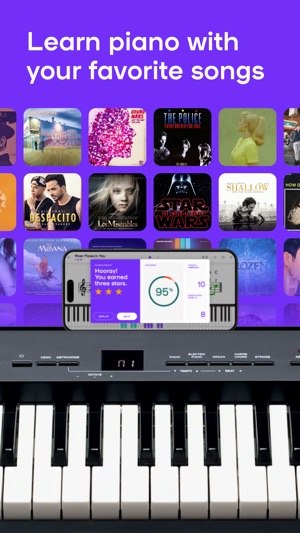
Formerly Playground Sessions, co-founded with Quincy Jones. Bootcamp-style structured lessons plus a licensed song library, with real-time feedback via MIDI or microphone.
Good for: learners who want popular repertoire with proper scaffolding underneath. Less good for: classical study.
8. tonestro
tonestro - Music Lessons
by fun.music IT GmbH
4.4 from 2,053 ratingsFreeActively updated
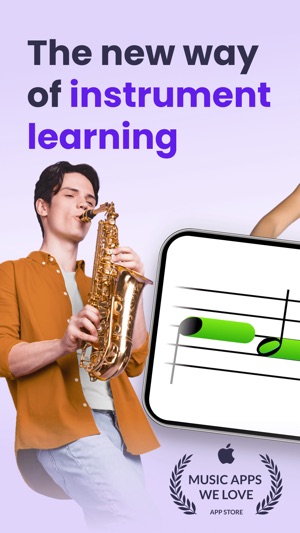
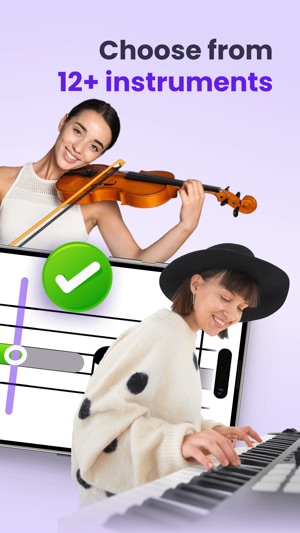
Instruments: wind and brass primarily — flute, clarinet, saxophone, trumpet, trombone — plus violin and others through companion apps. Price: free to download, subscription for full access.
The only serious option in this list for wind players, and it fills that gap well. Real-time feedback on pitch and timing, daily challenges, a large exercise library.
Good for: school and community wind players practising between lessons. Less good for: anyone not playing a wind instrument.
9. Trala
Trala: Learn Violin
by Learnfield GmbH
4.7 from 4,903 ratingsFreeActively updated
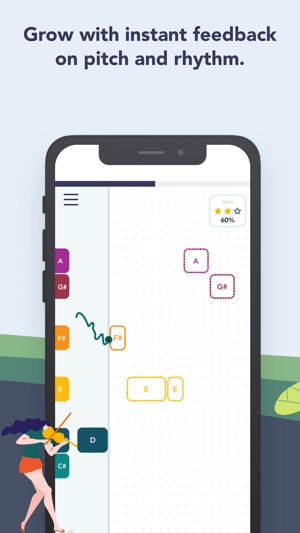
Instruments: violin. Price: free to download, subscription and optional human lessons.
The violin equivalent of the piano tutors, with pitch detection tuned for bowed strings — harder than it sounds, since intonation on a fretless instrument is continuous rather than discrete.
Good for: violin beginners, where the feedback on intonation is worth a great deal. Less good for: replacing a teacher on bow technique, which no app currently does.
10. Guitar Pro
Guitar Pro
by Arobas Music
3.6 from 898 ratings$6.99Actively updated
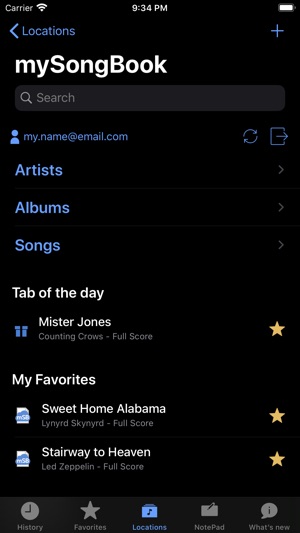
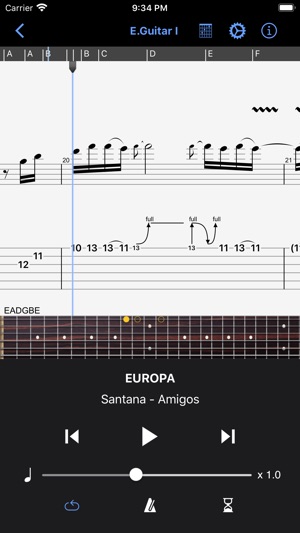
Instruments: guitar and bass, primarily as a notation and practice tool. Price: $6.99 on iOS; desktop sold separately.
Not a tutor. Guitar Pro reads and plays tablature and notation, loops sections, slows them down and transposes. If you learn from tabs, it is the standard tool.
Good for: intermediate players working through specific songs. Less good for: beginners, and for anyone expecting the mobile app to match the desktop version. The rating largely reflects that mismatch.
11. Duolingo Music
Duolingo
4.7 from 5,418,781 ratingsFreeActively updated
Rating, price and release date above cover the whole Duolingo app, across all its courses. Duolingo has published no rating, download or usage figure for the Music course on its own.
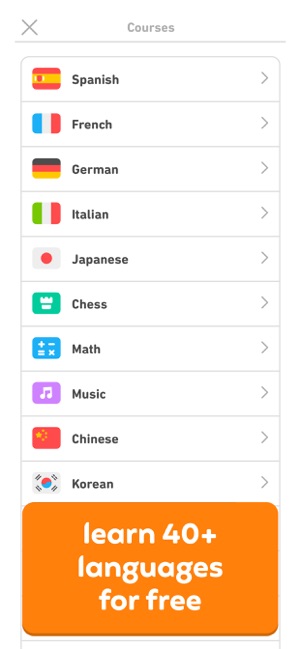
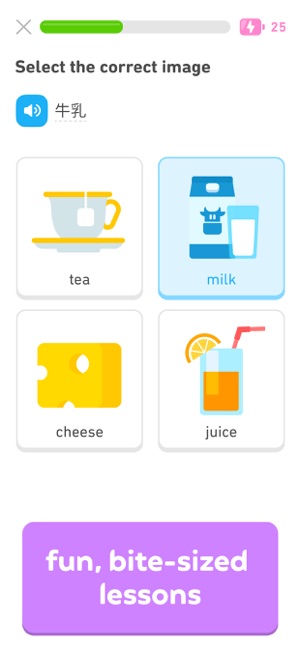
Duolingo Music launched publicly in November 2023, two months after this page first ran. It qualifies for this list because of a hardware partnership rather than the app alone: Duolingo's own store sells the Loog x Duolingo Piano, a 37-key three-octave digital piano at $249 that connects by MIDI over USB and, in Duolingo's words, "pairs with the Duolingo Music course". Support for real instruments was announced at Duocon in September 2024.
How that differs from the rest of this list. Simply Piano, flowkey and Skoove listen through your device's microphone to whatever acoustic or digital piano you already have. Duolingo's route runs over MIDI from a specific piano it sells. Both are real-instrument feedback; one works with the instrument in your house, the other asks you to buy a particular one. We have not tested whether other MIDI keyboards work.
Why last, and how confident we are. This is the best-evidenced of our Duolingo placements, because the deciding facts come from Duolingo's own store page rather than from anyone's impressions.
Instrument feedback — the entry criterion — it meets only through hardware it sells. Coverage is piano, three octaves. Both are verifiable today. Maintenance it wins. On beginner accessibility we have no basis for a comparison, so we are not making one; the daily-habit design is well known but we have not tested how far it carries a beginner.
Without the piano it is not an instrument tutor at all, which is what keeps it below the ten above it.
Not fully evaluated. We have not used the Music course. Its placement rests on Duolingo's own description of the curriculum and on a first-hand review from February 2024, which predates a substantial restructure in February 2025. Whether it covers chords, and how its exercises work today, we do not know.
- Best for
- Building a daily habit, and households already inside the Duolingo ecosystem.
- Less good for
- Learning on a piano you already own. Real-instrument play is tied to Duolingo's own hardware.
Free to use on iOS and Android; the piano is a separate purchase and was showing as sold out on Duolingo's store when we checked.
Also worth knowing about
Melodics — pad, keys and drum practice built around groove and timing rather than repertoire. Strong if you play electronic instruments.
Ultimate Guitar — the largest tab library there is, with a playback and practice layer over it.
What none of these do
Every app here trains execution: the right note at the right time. None of them train comprehension — why that note, why that chord, why the key changed there.
That gap is real, and it is the reason players who have used a tutor app for a year often still cannot read a lead sheet or hear a chord change. If you have hit that wall, the fix is music theory and ear training, which are separate skills with separate tools.
Was this helpful?
More from Resources
- A field guide to music learning appsSix categories of music app, what each is genuinely good at, and where each one runs out of road.
- The best sight-reading appsEleven apps for reading notation faster — including which of the old favourites have stopped being maintained.
- The best ear training appsEleven apps for training relative pitch, sorted by what kind of listening they actually train.
- How to learn music theoryThe order that works, roughly how long it takes, and where most people get stuck.